

- Joined
- Nov 2, 2017
- Messages
- 8,981
- Likes
- 1,141
- Points
- 4,577
- Age
- 41
- Location
- Tbilisi
- Website
- alexlaptoprepair.com
Vertyanov Successor Programmer for
SPI FLASH
memory
EC support new gen laptops
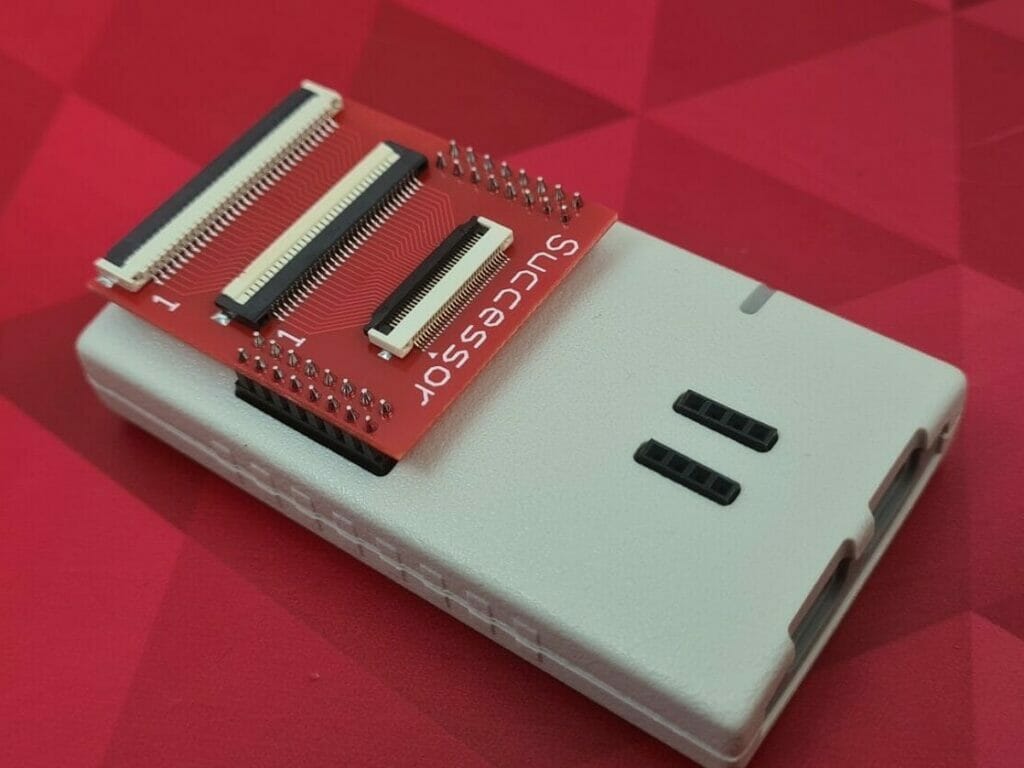
Vertyanov SUCCESSOR - programmer for SPI FLASH memory and EC
support all embedded EC ENE/ITE/MEC/NUVOTON/EXPLORE.
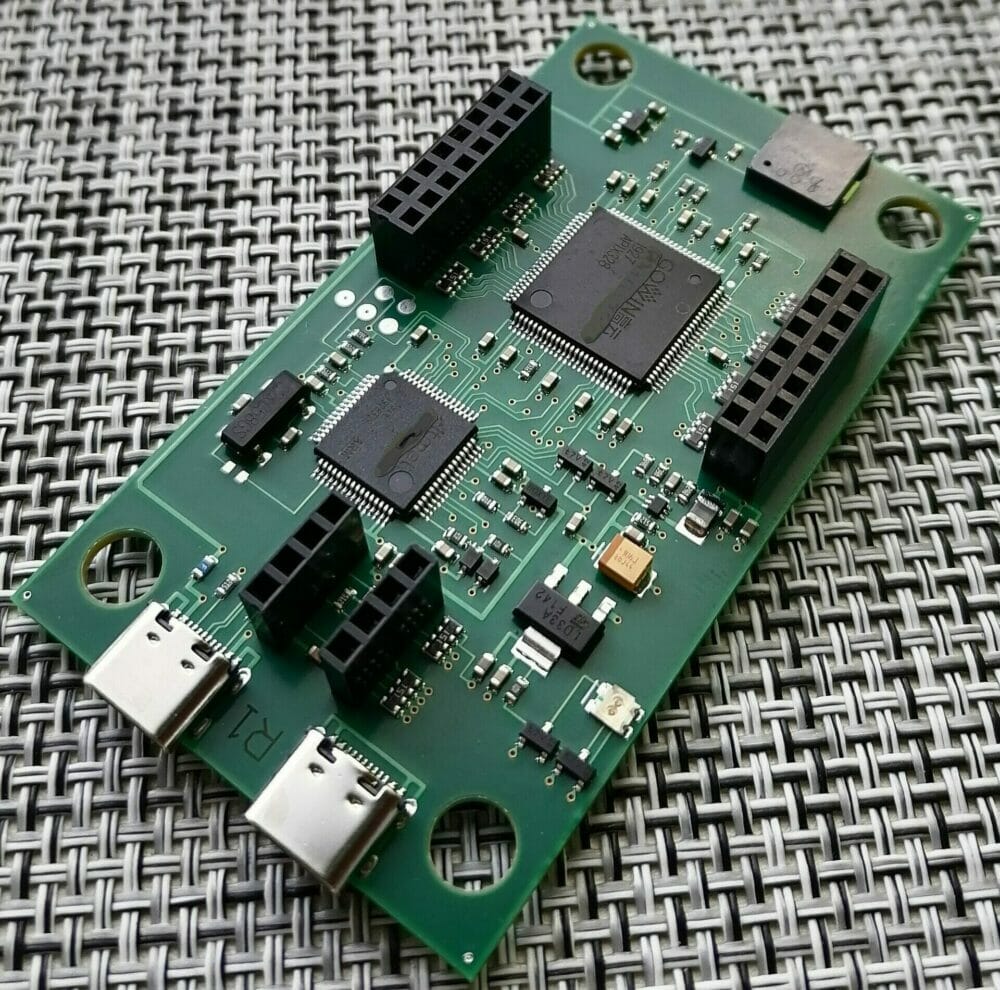
Output control signal levels 1v8 and 3v3. ESD protection is already installed.
Created on the basis 32-bit ARM® Cortex®-M4 RISC processor 120 MHz USB_FS and GoWin FPGA
The programmer is available to update the firmware of MCU and FPGA. When functionality is added, an update is released, and all users download and update it for free. No additional payments need to be made.
The SUCCESSOR kit consists of a module in a case (see photo), an adapter with 05/08/1mm connectors (as on the 3rd version of the Vertyanov_JIG programmer) and a basic set of 05mm(30/32pin)/08mm(26/30)/1mm(24/ 26/28/30/32)
IMPORTANT!! Socket for SPI FLASH and USB cables (2 pieces TYPE_C) are not included in the package!
As in the case of the 3rd version of the programmer, to work with the EC, you will need a second USB cable to connect the GND of the programmer and the MB.
The Vertyanov SUCCESSOR is a programmer for SPI FLASH memory and EC (ENE/ITE/MEC/NUVOTON/EXPLORE) firms. It has a 32-bit ARM Cortex-M4 RISC processor running at 120 MHz and a GoWin FPGA. The output control signal levels are 1v8 and 3v3, and ESD protection is already installed.
One of the key features of the SUCCESSOR is that it allows for updating the firmware of both the MCU and FPGA. When new functionality is added, an update is released and all users can download and update it for free, without any additional payments.
The SUCCESSOR kit includes a module in a case, an adapter with 05/08/1mm connectors (similar to the 3rd version of the Vertyanov JIG programmer), and a basic set of 05mm(30/32pin)/08mm(26/30)/1mm(24/ 26/28/30/32) connectors. However, it is important to note that the package does not include the socket for the SPI FLASH and USB cables (2 pieces TYPE_C) which are required for the programmer to work.
Additionally, to work with the EC, a second USB cable is needed to connect the GND of the programmer and the MB. The Vertyanov SUCCESSOR offers a reliable and efficient solution for programming SPI FLASH memory and EC.
Buy Vertyanov Successor From This Link
SPI FLASH
memory
EC support new gen laptops
Vertyanov SUCCESSOR - programmer for SPI FLASH memory and EC
support all embedded EC ENE/ITE/MEC/NUVOTON/EXPLORE.
Output control signal levels 1v8 and 3v3. ESD protection is already installed.
Created on the basis 32-bit ARM® Cortex®-M4 RISC processor 120 MHz USB_FS and GoWin FPGA
The programmer is available to update the firmware of MCU and FPGA. When functionality is added, an update is released, and all users download and update it for free. No additional payments need to be made.
The SUCCESSOR kit consists of a module in a case (see photo), an adapter with 05/08/1mm connectors (as on the 3rd version of the Vertyanov_JIG programmer) and a basic set of 05mm(30/32pin)/08mm(26/30)/1mm(24/ 26/28/30/32)
IMPORTANT!! Socket for SPI FLASH and USB cables (2 pieces TYPE_C) are not included in the package!
As in the case of the 3rd version of the programmer, to work with the EC, you will need a second USB cable to connect the GND of the programmer and the MB.
The Vertyanov SUCCESSOR is a programmer for SPI FLASH memory and EC (ENE/ITE/MEC/NUVOTON/EXPLORE) firms. It has a 32-bit ARM Cortex-M4 RISC processor running at 120 MHz and a GoWin FPGA. The output control signal levels are 1v8 and 3v3, and ESD protection is already installed.
One of the key features of the SUCCESSOR is that it allows for updating the firmware of both the MCU and FPGA. When new functionality is added, an update is released and all users can download and update it for free, without any additional payments.
The SUCCESSOR kit includes a module in a case, an adapter with 05/08/1mm connectors (similar to the 3rd version of the Vertyanov JIG programmer), and a basic set of 05mm(30/32pin)/08mm(26/30)/1mm(24/ 26/28/30/32) connectors. However, it is important to note that the package does not include the socket for the SPI FLASH and USB cables (2 pieces TYPE_C) which are required for the programmer to work.
Additionally, to work with the EC, a second USB cable is needed to connect the GND of the programmer and the MB. The Vertyanov SUCCESSOR offers a reliable and efficient solution for programming SPI FLASH memory and EC.
Buy Vertyanov Successor From This Link
Last edited:


